• The move to the new server is done. There are some software and database maintenance updates in process. This has us passing the hat around to help out. We appreciate any donations. Seriously, even a dollar helps. The payment page may be found here - https://www.audiokarma.org/support.html

Yamaha CR-1000 help needed

OK, making a little more sense. So problem is before the mode switches.
As earlier said, an oscilloscope is probably needed, even a toy, eg 224307829954 on ebay.
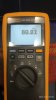
My multimeter (Fluke CNX3000) has HzAC and HzDC. Does this helps? I don't know how to use this function though.
 

Attachments

  • IMG_20210206_205009.jpg
    IMG_20210206_205009.jpg
    56.7 KB · Views: 8
Nice MM. You could try measuring AC voltages when using a signal generator 60Hz? (ie constant level) as input. First try at
speaker posts or at pre-out, if that works then we can find some other test points. You could also try the volts/hz ratio
if you get nothing from ACV
 
Nice MM. You could try measuring AC voltages when using a signal generator 60Hz? (ie constant level) as input. First try at
speaker posts or at pre-out, if that works then we can find some other test points. You could also try the volts/hz ratio
if you get nothing from ACV
I AM sorry. I couldn't understand what you have asked me to do. I don't think the multimeter has a signal generator. And how can I use the ac or dc hz? What kind of signal/value am I looking for?
 
I couldn't understand what you have asked me to do. I don't think the multimeter has a signal generator. And how can I use the ac or dc hz? What kind of signal/value am I looking for?
Use a signal generator as input to the amp. Use the MM to compare amplitude L&R channel (voltage) at various points in
audio path. You can't use a music source as it's "always" changing. The sig gen will give you a roughly constant amplitude.
You can use freeware on a laptop (audacity? C Zeitnitz) there is probably a mobile phone app, set source volume to minimum
and slowly increase. I'd generate a low frequency signal like 60-120Hz, might make it easier on your MM, but then again, it is
a fluke...

With the MM, try AC volts first, you might get lucky.
 
Use a signal generator as input to the amp. Use the MM to compare amplitude L&R channel (voltage) at various points in
audio path. You can't use a music source as it's "always" changing. The sig gen will give you a roughly constant amplitude.
You can use freeware on a laptop (audacity? C Zeitnitz) there is probably a mobile phone app, set source volume to minimum
and slowly increase. I'd generate a low frequency signal like 60-120Hz, might make it easier on your MM, but then again, it is
a fluke...

With the MM, try AC volts first, you might get lucky.

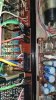
I followed the path of sound from AUX In (with CD source) to Eq. Amp (purple cable) and from there to TAPE Monitor SW (Green cable) and then to Mode SW (Orange cable). What its strange is that if I change the red wire (R Channel) with the white wire (L Channel) in the Orange cable in the Tape Monitor SW , the sound problem shuld reverse but instead both channel get equal sound. Both with a little of distortion. I believed it was supposed to reverse the problem...
 

Attachments

  • IMG_20210207_155417 (1).jpg
    IMG_20210207_155417 (1).jpg
    113.2 KB · Views: 12
Last edited:
I believed it was supposed to reverse the problem...
Agree, maybe the heating cycle from the solding iron or simply handling the board has disturbed/repaired a solder joint
or track crack. Have a close look at the board. What happens when you restore the red/white audio wires to their correct
locations.
 
Agree, maybe the heating cycle from the solding iron or simply handling the board has disturbed/repaired a solder joint
or track crack. Have a close look at the board. What happens when you restore the red/white audio wires to their correct
locations.
When I reversed back the white/red wires, the problem continues.
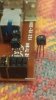
But now I have swapped (L to R and R to L) the two transistors from Tape Monitor SW board and the problem stoped. Although I still have some distortion.
The transistors in the TM SW board state: T. 6E K30A
I have one transistor that states: T. 6D K30A
Do you know if they are interchangeable, so that I could change for it?
 
Unfortunately I have been measuring the transistor and it is not good. I though it was though.
Tomorrow (I hope) it will arrive 2 new 2SK30A.
I think that the problem is these transistors, so I am really excited for their arrival.
I say this because the volume difference has stoped, or has passed less significantly to the R channel. Just some distortion now.
Tomorrow, as soon as they arrived I will change them and report back.
 
Those FETs perform power on/off muting grounding the audio input to prevent transients being sent to speakers.
Possibly there has been some leakage from one of the FETs due to out of spec Vgs, maybe TR810 or faulty FET.
 
Well...this has been a very satisfied day for a SHORT period of time.
I changed the transistors as I told you and there was some improvement but far from perfect. The sound was still coming with distortion.
So because I had ordered 2 2sk30A I had a spare one. I changed one in the filter amp and everything was PERFECT. I stayed listening to some music for a couple of hours. Everithing was perfect.
I started to assemble all the knobs and switches, and screws etc...
Meanwile the Pizza arrived. I just finish assembling everything and went for my dinner.
After dinner I was so pleased that everything was ok and assembled. Time to enjoy some more music.
When I turned the Yamaha on, it didn't. IT WAS DEAD.
I though I had disconnected the plug. But no. Thought that assembling might have forgoten to switch it off and touched anything and blowned a fuse, but no. The two fuses were OK.
I got so desperate. So disapointed.
Now, I am all over again. The two fuses have ~36V. But in the power board there are no 33V or 12V. Just the 47V that goes to the 10000uF capacitors. The -50 is -4.6v, the +50 is 0,033V.

Well. I don't know what to do.
Not after 10 days of searching and trying to understand the hows and whyes....
If anyone has something please just let me know.
Anyway I want to thank you all that contributed to solve my problem. Expecially to @avionic and @mbz. Its a joy to have a gorup like this that has peolple that gives a lot of their time to help and teach others.
Thank you.

 
Last edited:
Back
Top Bottom