Eric Caron
New Member
Hi would like to know if DOLBY Atmos AND DTS-x are supposed to appear on the screen of the yamaha rx-a2080 receiver? Thanks


Do i have to set up my 4k bd a special way to get dolby atmos?View attachment 1609441
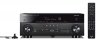
I'd imagine it would look like this - different model, though. Look at user manual?

I have looked at the manual and my take is, the display will not show DOLBY ATMOS. What will be displayed will depend, in part, on how the receiver is set up. The Dolby ATMOS speakers are designated as Presence Speakers in the Yamaha setup. Dolby recommends ATMOS speakers placed in the ceiling fore and aft of the listening position or using Dolby Enhanced speakers designed to bounce sound off the ceiling to the listening position. The receiver will not process Dolby ATMOS unless you have Presence Speakers.Hi would like to know if DOLBY Atmos AND DTS-x are supposed to appear on the screen of the yamaha rx-a2080 receiver? Thanks
If I play a 4K Blu-ray with Dolby Atmos --Dolby Atmos is displayed on the screen of the 2080 AVRHi would like to know if DOLBY Atmos AND DTS-x are supposed to appear on the screen of the yamaha rx-a2080 receiver? Thanks
Yes, you must have Atmos speakers plugged into the back of the unitI have looked at the manual and my take is, the display will not show DOLBY ATMOS. What will be displayed will depend, in part, on how the receiver is set up. The Dolby ATMOS speakers are designated as Presence Speakers in the Yamaha setup. Dolby recommends ATMOS speakers placed in the ceiling fore and aft of the listening position or using Dolby Enhanced speakers designed to bounce sound off the ceiling to the listening position. The receiver will not process Dolby ATMOS unless you have Presence Speakers.
Do you have speakers connected to Front Presence Speaker (L), Front Presence Speaker (R), Rear Presence Speaker (L), Rear Presence Speaker (R)?
As best as I can understand it, the way you will be able to know if the receiver is decoding Dolby ATMOS is to:
1) Play a Blu-ray disc with Dolby ATMOS encoding.
2) Press the STRAIGHT button on the remote.
3) Observe the Speaker Indicators on the front panel display. If you see the presence icons illuminate, the receiver is decoding Dolby ATMOS. This display text will read STRAIGHT.
Give it a try and let us know how if it works.
Yamaha manual: https://usa.yamaha.com/files/downlo...AV17-0221_RX-A3080_2080_om_UCRABGLF_En_D0.pdf
To hear sound from the surround back speakers, you must have source material that is 7.1 or must set your receiver to up-mix to 7.1 or Dolby Surround (ATMOS era).I have a question for all of you. I have a 5.1.4 system hooked up to the 2080. However, if I plug my speakers into surround back of the 2080, I get no sound. If I plug into the surround, which should be the side speakers, I get sound! Any thoughts????

Your receiver has nine built-in channels of amplification. So you can do 7.2.2 or 5.2.4 but not 7.2.4. If you want to hear the surround back speakers, you will have to give up one pair of Dolby ATMOS speakers. See the setup configuration information in your manual pages 20 through 28.
EDIT: According to the manual for the RX-A3080/RX-A2080, the RX-A3080 can accommodate 7.2.4 by adding an external stereo amplifier. See the small type on page 21.
Why is it I cannot do a 5.1.4 set up and use my back surround speakers?? I am totally confused!
Because math. Only 9 channels of amplification: 5.1.4 = 5+4=9.I want to use my back surround speakers as part of my 5.1.4 set up!
Yes, that should work just fine, however; if you want to do 5.1.4 and use the Back Surround speakers too, you cannot do that because you only have nine channels of amplification not the eleven channels you would need for 7.1.4. So, again, you can do 5.1.4 or 7.1.2 but not 7.1.4.If I plug into the surround speakers (not back surround) everything seems to work 5.1.4