• The move to the new server is done. There are some software and database maintenance updates in process. This has us passing the hat around to help out. We appreciate any donations. Seriously, even a dollar helps. The payment page may be found here - https://www.audiokarma.org/support.html

Need help getting rid of hum

So theoretically... assuming something is wrong with one or more input jacks, if I disconnect each jack's wiring one at a time, at the jack or at the selector switch, if I disconnect the wiring of the problem jack, the hum should be eliminated, correct? I'm thinking this procedure is the best way to find what's causing the hum. Comments?
 
Sure Thorne. Give it a try. Just be careful of those shielded cables. The insulation on the outside and between the signal and shield doesn't take heat well, so be conservative with the soldering iron when de-soldering them. If you can protect them with a clamp-on heat sink that would be helpful. Take pictures so you can put them back after.
 
Tim - I'm not talking about the striped leads with 2 wires. I'm talking about the colored cloth leads. It is one or more of the PHONO input jacks that I believe are bad.
 
I disconnected input jack leads at the selector switch: both PHONO LOW, right channel TAPE HEAD pin and right channel TAPE HEAD ground. Absolutely no effect on the hum. It's still there. Apparently the jacks are not the problem.

I changed my focus to the other 6 jacks - AUX, TAPE MON and RCRDR OUT. When I put shorting plugs in RCRDR OUT, I get dead silence. I'll have to look up what RCRDR OUT does. If it grounds all the input jacks, that would explain the silence. If not, then I think I've found my hum.

UPDATE: Yup, shorting RCRDR OUT shorts everything, even FM. Sigh.
 
Last edited:
Thorne,

I'm pretty sure that if you put shorting plugs into the RCRDR OUT that you are just sending all input signals to ground - hum included. Have you tried getting any signal through with those shorting plugs in? I'm thinking you will get nothing.
 
I agree, Tim. And the thing I just can't make sense of is the fact that with AUX selected, the chassis is dead silent. How can it be that way on AUX and not anywhere else? I wouldn't think the AUX circuit is independent of every other circuit. So where does the AUX circuit merge with all the others? If I can get that question answered then I'll know where to start looking. If it's not the input jacks, then it's somewhere after the jacks but before the signal path merges with AUX' signal path. And that means PHONO stage.

I think the only mods I put in PHONO stage are RIAA and PIO caps. So if I were going to remove mods to test if they are culprits, those are the 2 I'd remove. PIO is recent so my bet's on RIAA.
 
Last edited:
I agree, Tim. And the thing I just can't make sense of is the fact that with AUX selected, the chassis is dead silent. How can it be that way on AUX and not anywhere else? I wouldn't think the AUX circuit is independent of every other circuit. So where does the AUX circuit merge with all the others? If I can get that question answered then I'll know where to start looking. If it's not the input jacks, then it's somewhere after the jacks but before the signal path merges with AUX' signal path. And that means PHONO stage.

I think the only mods I put in PHONO stage are RIAA and PIO caps. So if I were going to remove mods to test if they are culprits, those are the 2 I'd remove. PIO is recent so my bet's on RIAA.

I think that is a good plan.
 
Aux comes in after FM, & phono/Tape Heads, but BEFORE Tape Monitor. RCDR OUT is your recording lead(s) to a TAPE DECK so it can record what you are listening to. It's a high level output before the tone controls and volume control It's literally paired with Tape Monitor.

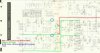
Lift one side of the resistors in BLUE. Test for Hum in FM and Phono/Tape Head. No hum means problem is in phono/tapehead circuit.

ScreenHunter 184.jpg
 
Last edited:
I think I may have found my hum. But first I have a question.

The RIAA mod which modifies in a 500-C the PC1 and PC2 PEC's. Apparently mine are not wired the same as each other. There are originally 3 leads on each PEC that connect to wherever. Lead 3 was to be taped up. Lead 2 (the middle of the 3) remains connected as it was originally. Now lead 1...

Lead 1 originally was connected to a terminal somewhere. The new network has 2 leads - a lead with resistors and a lead with caps. The lead with caps connects to where lead 3 of the PEC was connected. The new network lead with resistors - Does it connect to the terminal where lead 1 of the PEC is connected? Or is that PEC lead REMOVED from the terminal to which its connected and it is connected to the network lead with resistors?

In simpler terms, does PEC lead 1 (the opposite end of the taped up lead) stay connected to the terminal where it's originally connected, or is PEC lead 1 disconnected from that terminal and connected to the new network?

I have my new networks connected both ways ! One of them must be wrong and hopefully is causing the hum. :dunno:
 
STOCK SETUP
Pin 3 on PC 1 and PC 2 is the TAPEHEAD OUTPUT

Pin 2 is PHONO OUTPUT

Pin 1 in input from the selector switch.

As for the RIAA Change, most people do away with the TAPEHEAD part. I've not got that far on mine as they sound fine.
 
EDIT: The 3 caps and 2 resistors that make up the network... Are they supposed to REPLACE the PEC or add to the PEC?

UPDATE: I hope the answer is REPLACE because that's not what I did originally. And now that I did a REPLACE instead of an ADD... the hum is pretty much GONE !! There is some residual hum, but from what I've read, that's always going to be there.
 
Last edited:
Thorne,

Do you have the thread that discussed the design for the updated circuit you used? I'm guessing you hit the nail on the head though. Maybe it was supposed to be a replacement for the existing PEC instead of an addition.

In regards to remaining hum, I don't think you should have any. Maybe the remaining hum is due to the bottom plate being off. For a good operating phono circuit (others have said that) you should only hear the rush sound with the volume turned up. That's a factor of the high gain for the phono stage. It's a kind of hiss/rush sound.
 
Tim - Yes, it's a rushing, windy sound. And yes I did read the RIAA thread - multiple times. There are terms like "drop in" and questions about if it's a replacement, but never is the word "replacement" used that I can find. And there are diagrams that I interpreted to mean that both the PEC and the network should coexist. (my interpretations have been wrong before) I looked at pictures and it looked like the PEC's were gone so that's what gave me the clue. I removed the PEC on the right channel and in headphones the difference was significant. Just the whooshing sound in the right channel and of course the hum still in the left channel. But I haven't tried plugging anything into any jacks yet. I have to resolder the input jack leads I disconnected.

So potentially good news on a beautiful Sunday morning. Have a good one, Tim.

PS - I remember that I asked someone how to connect the network. I'm pretty sure the words "remove the PEC" were not mentioned. Maybe it was understood, I don't know. But I just turned on FM stereo and it sounds GREAT !! I'm psyched !! :banana: I'm sure there is someone on this forum who knows and can say "You numbskull...of course it's a replacement!" :)
 
Last edited:
Mine can be slightly noisy if I have nothing connected to the phono jacks on very loud volume. Hopefully that is all you have now.

Some of my RCA cables have seen better days and I sometimes have to have them connected just right (usely a wiggle of the rca cable will do) or I will get a ground hum on the phono.
 
Last edited:
Tim - Yes, it's a rushing, windy sound. And yes I did read the RIAA thread - multiple times. There are terms like "drop in" and questions about if it's a replacement, but never is the word "replacement" used that I can find. And there are diagrams that I interpreted to mean that both the PEC and the network should coexist. (my interpretations have been wrong before) I looked at pictures and it looked like the PEC's were gone so that's what gave me the clue. I removed the PEC on the right channel and in headphones the difference was significant. Just the whooshing sound in the right channel and of course the hum still in the left channel. But I haven't tried plugging anything into any jacks yet. I have to resolder the input jack leads I disconnected.

So potentially good news on a beautiful Sunday morning. Have a good one, Tim.

PS - I remember that I asked someone how to connect the network. I'm pretty sure the words "remove the PEC" were not mentioned. Maybe it was understood, I don't know. But I just turned on FM stereo and it sounds GREAT !! I'm psyched !! :banana:

So I don't have the same information as you so I can't comment on whether the old PEC should be in or out. Good luck.
 
Thorne,

Are you talking about this thread from Dave? It's about Fisher RIAA.

https://audiokarma.org/forums/index.php?threads/the-fisher-phono-preamp-and-riaa.600690/page-3

If so, then take a look at posts 44 and 45. That allows the old PEC to service the tape head (maybe useless because not many low output tape head units out there, but whatever). It does mention cutting lead #3 on the old PEC so that the new PEC will service the phono section - leaving the old PEC to service only the tape head. I presume your new PEC only has two leads, right? That would be for #1 and #3 with #2 for the tape head missing?
 
Yes, that's the thread. I spent last night reading it over and over. The way you interpret what you read sounds to me like perhaps I just installed the leads incorrectly. When I did the install 2 years ago I taped lead 3 leaving leads 1 and 2 connected. The new network, I thought, the resistor side was to be attached to lead 1 of the PEC and the caps I attached to the terminal where PEC lead 3 was disconnected. And of course it worked albeit with hum (though I didn't realize at the time if the hum was new).

There are pictures in post 9 (https://audiokarma.org/forums/index...er-phono-preamp-and-riaa.600690/#post-7919175) that show the network installed but I don't see the PEC's. And then in post 11 notdigital asks if it's a replacement, but he doesn't get a direct answer. Larry chimes in in post 18, but I didn't understand his point. Then in post 21 Dave says "The new network is literally a drop in fit" which sounds like it's a replacement not an add. So last night I had to try removing one of the PEC's to see what happens. I'd like to hear from someone who's done the install.

EDIT: Here's an excerpt from post 43 that leads me to believe the PEC stays..."You would leave terminals 1& 2 of the Fisher PEC connected, which will allow the PEC's EQ network for the Tape Head function still work, and disconnect terminal #3... The new phono network ... with the end of the network including the 270K resistor connected to where terminal #3 of the PEC used to connect to, and the other end of the new network connected to where terminal #1 connects to. And that's it." So now I'm wondering if by removing the PEC I've caused something not to work or at least something won't have the EQ Fisher intended.

UPDATE: I hooked up my music player to all inputs - AUX, PHONO LOW, PHONO HIGH, FM (to ensure I can still get radio), TAPE MON and TAPE HEAD - and they all pass signals ! If they are EQ'ed properly I don't know. But reading the "EDIT" above, I think when I originally did the network install, I may have connected the network backwards.
 
Last edited:
Back
Top Bottom