

You are using an out of date browser. It may not display this or other websites correctly.
You should upgrade or use an alternative browser.
You should upgrade or use an alternative browser.

Register to hide this ad

I've got one that I resuscitated several years back. There's a lot going on in there so if you're not ready for wat could be a project think it over.
have you verified the slide switch on the back is set to connect the pre and main amps?
First thing to do is open it up and look for toasted for burnt components.
Then check the fuses.
Next power it up and check the voltages.
One major issue these have is the feedthrough connections on the double sided circuit boards fail and require a small piece of wire to be soldered through to connect both sides again.
There are several threads on AK regarding the AU20000 - time to start reading.
have you verified the slide switch on the back is set to connect the pre and main amps?
First thing to do is open it up and look for toasted for burnt components.
Then check the fuses.
Next power it up and check the voltages.
One major issue these have is the feedthrough connections on the double sided circuit boards fail and require a small piece of wire to be soldered through to connect both sides again.
There are several threads on AK regarding the AU20000 - time to start reading.

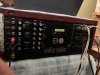

put the pre-main switch separate position. Connect your phone directly to main in. Make sure the volume of your phone is at zero before switching on the amp. Switch on the amp and gradually increase the volume of phone and check whether you are getting any sound.
Last edited:
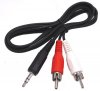
The cable is fine. Here what I will suggest for this test, just use one pair of speakers, put selector switch at speaker A and use your phone or laptop and let us know. With this test the volume switch of the amp will not work. You have to slowly increase the volume of your phone from zero.
Last edited:
Similar threads

- Replies
- 0
- Views
- 1K


